Free Online Image ResizerPlus Image & PDF Tools
Use our free image resizer to change photo dimensions directly in your browser. Compress images or use our PDF converter to create, merge, split, rotate and compress documents without uploading files to our servers.
Drop your image here
Or choose an image from your device
JPG, PNG and WEBP supported
Photo dimensions & file-size quick reference
Dimensions are width × height in pixels. Suggested file sizes are compression targets, not platform limits.
| Destination | Dimensions / ratio | Export | File size / limit |
|---|---|---|---|
| Etsy listing photo | 2000 × 2000 px or larger on both sidesSquare or landscape; leave room for thumbnail crops | JPG / PNG | Aim for 1 MB or lessUpload guidance, not a hard maximum: Etsy warns that larger files may fail on slow connections. |
| Instagram feed photo | 1080 × 1080 or 1080 × 1350 px1:1 square / 4:5 portrait · practical export sizes | JPG | Suggested target: 1–2 MBResizeFox target, not an Instagram upload limit. Other supported ratios may also work. |
| Facebook feed photo | 1080 × 1080 px1:1 square · practical export size, not a required size | JPG / PNG | Suggested target: 1–2 MBResizeFox target, not a Facebook upload limit. Check the specific post or ad uploader. |
| Instagram / Facebook Story or TikTok artwork | 1080 × 1920 px9:16 vertical · suggested image canvas | JPG / PNG | Suggested target: 1–2 MBImage preparation only; video limits do not apply here. Confirm the limit in your chosen uploader. |
| Pinterest standard image ad | 1000 × 1500 px2:3 · Pinterest recommendation | JPG / PNG | Maximum: 20 MB desktop / 32 MB in appFor standard image ads created through Pinterest’s business tools. |
Need another shape? Crop first, then resize and compress. Keep your original; do not sacrifice detail just to reach a suggested target. JPG is usually suitable for photos. Etsy does not preserve PNG transparency.
Sources and scope · Etsy/Pinterest checked September 19, 2026
Etsy and Pinterest guidance was checked on this date. Instagram, Facebook and vertical-canvas entries are practical ResizeFox suggestions, not a complete list of accepted dimensions or verified maximum file sizes. Check the destination’s uploader for its current limit: posting apps, advertising tools and APIs may have different requirements.
Choose the tool for your task
Compare formats visually
Experiment with small text, gradients and transparency using real measured exports.
Image resizer by pixels
Set width and height while keeping the image proportions.
Reduce file size
Choose an upload limit and check whether the result meets it.
Etsy image resizer
Follow listing photo guidance for dimensions, detail and thumbnails.
Prepare email attachments
Balance readable images with the total size of your attachments.
Crop an image
Remove unwanted edges with an exact pixel crop area.
Rotate or correct orientation
Turn an image 90, 180 or 270 degrees.
Mirror an image
Flip the picture horizontally or vertically.
Bulk image resizer
Apply one width to a group while preserving each aspect ratio.
Convert image format
Create a JPG, PNG or WebP copy in your browser.
Edit a PDF
Add text, images, highlights and signatures, then arrange your pages.
Convert images to PDF
Combine JPG and PNG images into one private document.
Merge PDF files
Join several PDF documents in their selected order.
Extract PDF pages
Separate every page or choose a specific page range.
Learn before you export
Practical image tutorials
Choose dimensions before using the image resizer for an Instagram post, artwork for Reels or TikTok, or a document image. Understand dimensions, file formats and quality before changing your file.
Private by design
The image resizer processes your files locally in your browser, without uploading them to our servers.
Fast processing
Resize and compress images quickly without waiting for server uploads or queues.
Free to use
Use the image resizer without an account or subscription. Choose your file and start editing.
SIMPLE & FAST
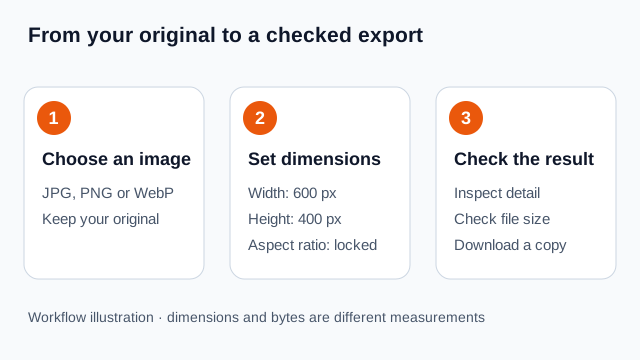
How ResizeFox works
Upload
Choose or drag your JPG, PNG or WEBP image.
Customize
Resize, compress or convert your image.
Download
Download your optimized image instantly.
Understand your resize settings
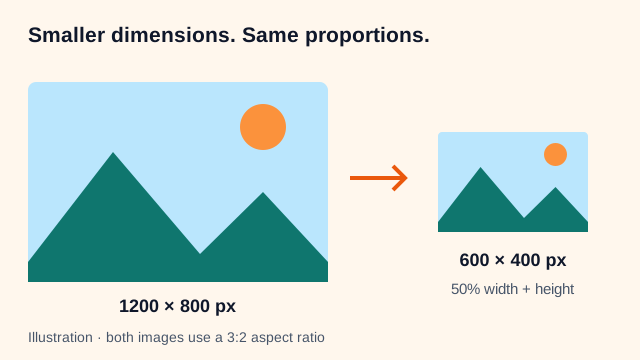
Pixel dimensions control how large an image is. File size measures its bytes and also depends on the format, quality and image content.
FAQ
Frequently asked questions
Is ResizeFox free?
Yes. ResizeFox is free to use and does not require an account.
Are my images uploaded?
No. Image processing happens directly inside your browser.
Which image formats are supported?
Image tools support JPG, PNG and WebP. The PDF tools support PDF documents and can also create PDFs from JPG or PNG images.
Can I compress an image to a specific size?
Yes. You can choose common targets such as 100 KB, 250 KB, 500 KB and 1 MB, or enter your own size.
Popular Image Compression Tools
Quickly compress your images to a specific file size. Free, private and processed directly in your browser.